
Transcribe songs into tab and sheet music
Transcribe is an iPhone and iPad app for writing down music by ear. Loop a few bars, slow them down, write the notes and check each bar against the recording.
Coming soon to the App StoreiPhone and iPad, iOS 17 or later
See how it works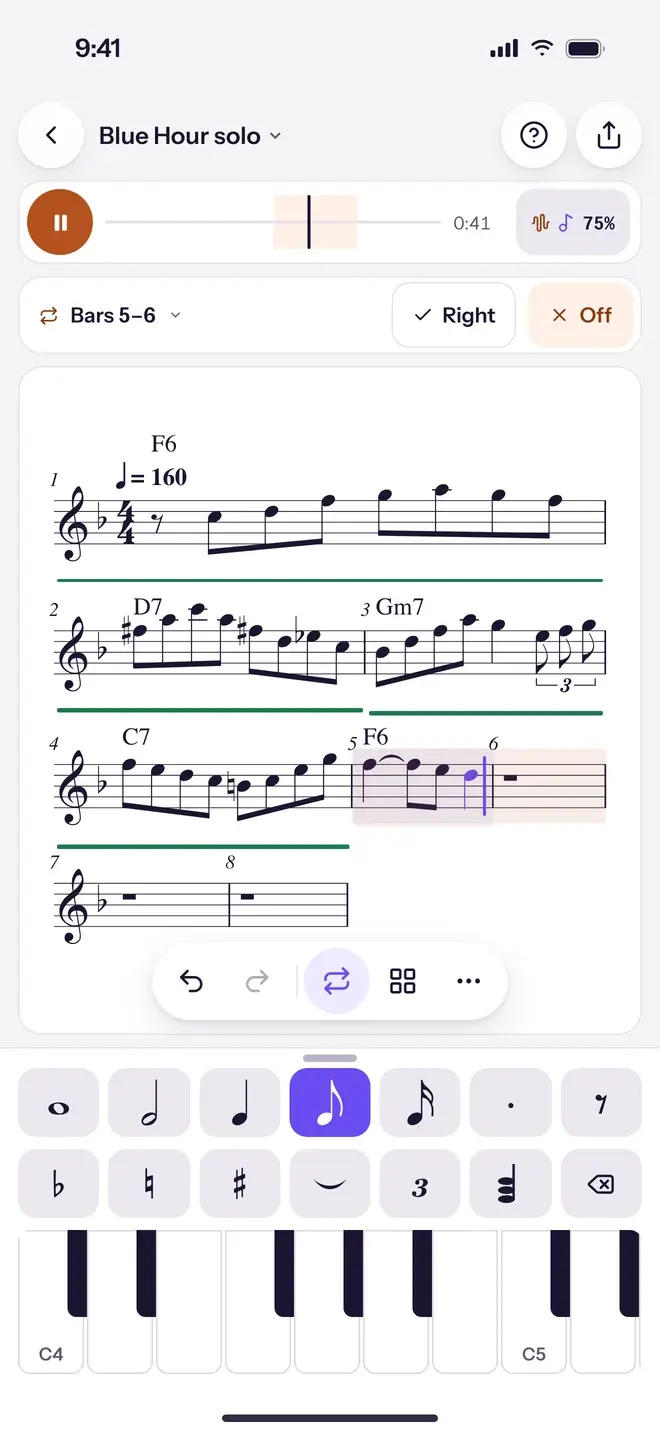
How to transcribe a song
Five steps, the same for a two-bar riff or a whole solo. Bring a song you want to learn.
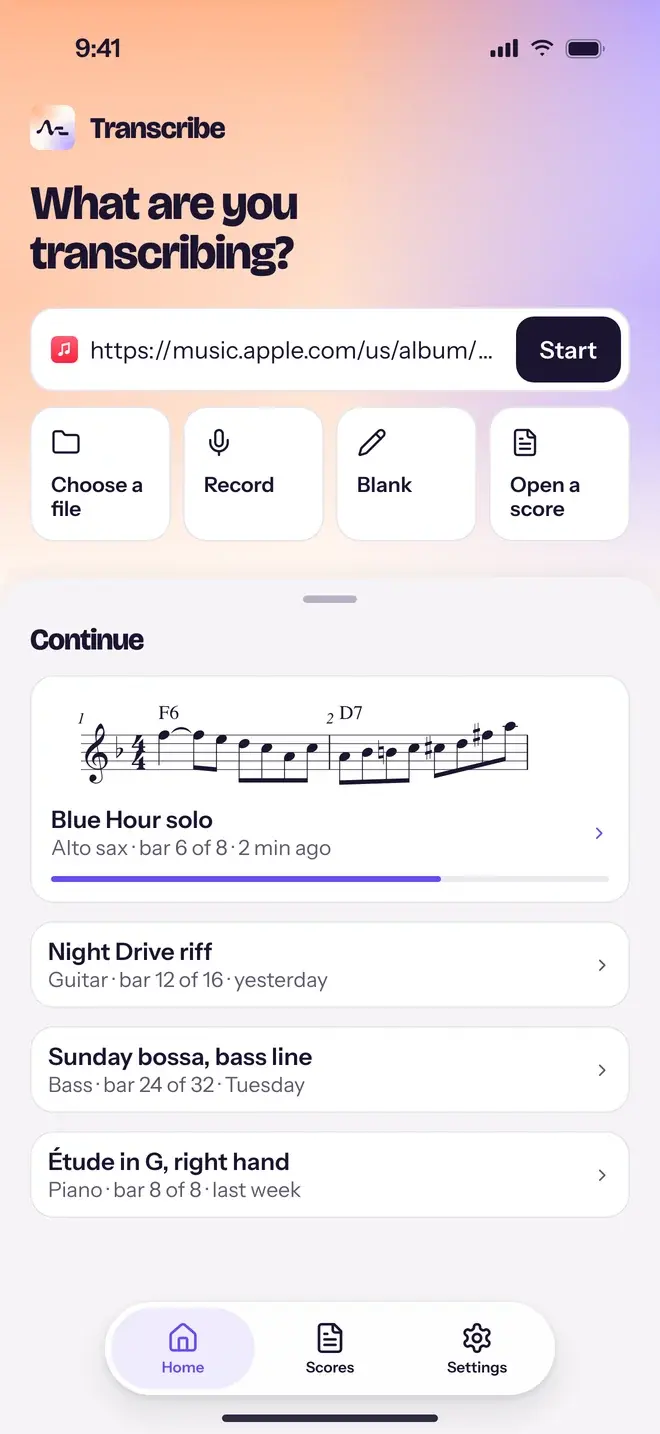
1Bring in the song
Paste a YouTube or Apple Music link, open an audio file, or record with the mic. Spotify links are matched to the same song on Apple Music.
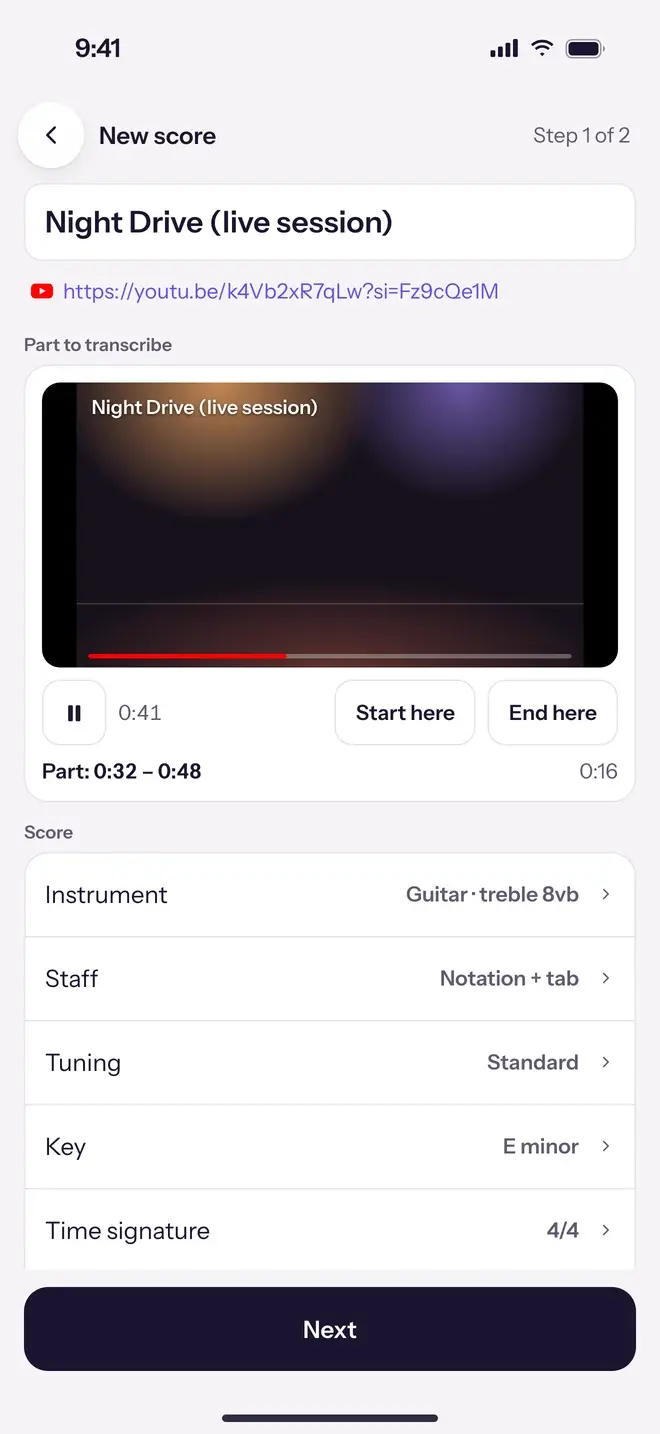
2Mark the bars
Pick the part you want, then tap along on each downbeat. The bar lines land on the recording and a steady tempo is picked up.
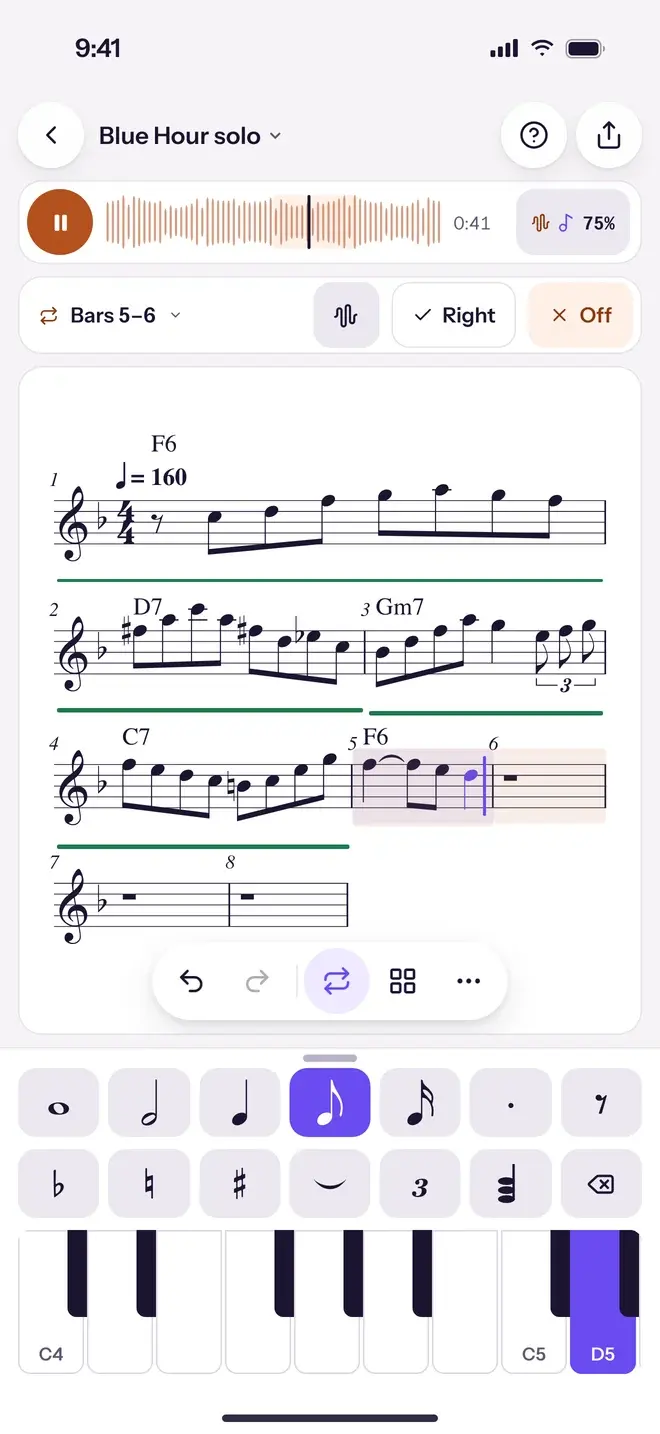
3Write the notes
Choose a note length, then the pitch: from piano keys, a fretboard or a tap on the staff. The looped bars keep playing while you write.
4Check every bar
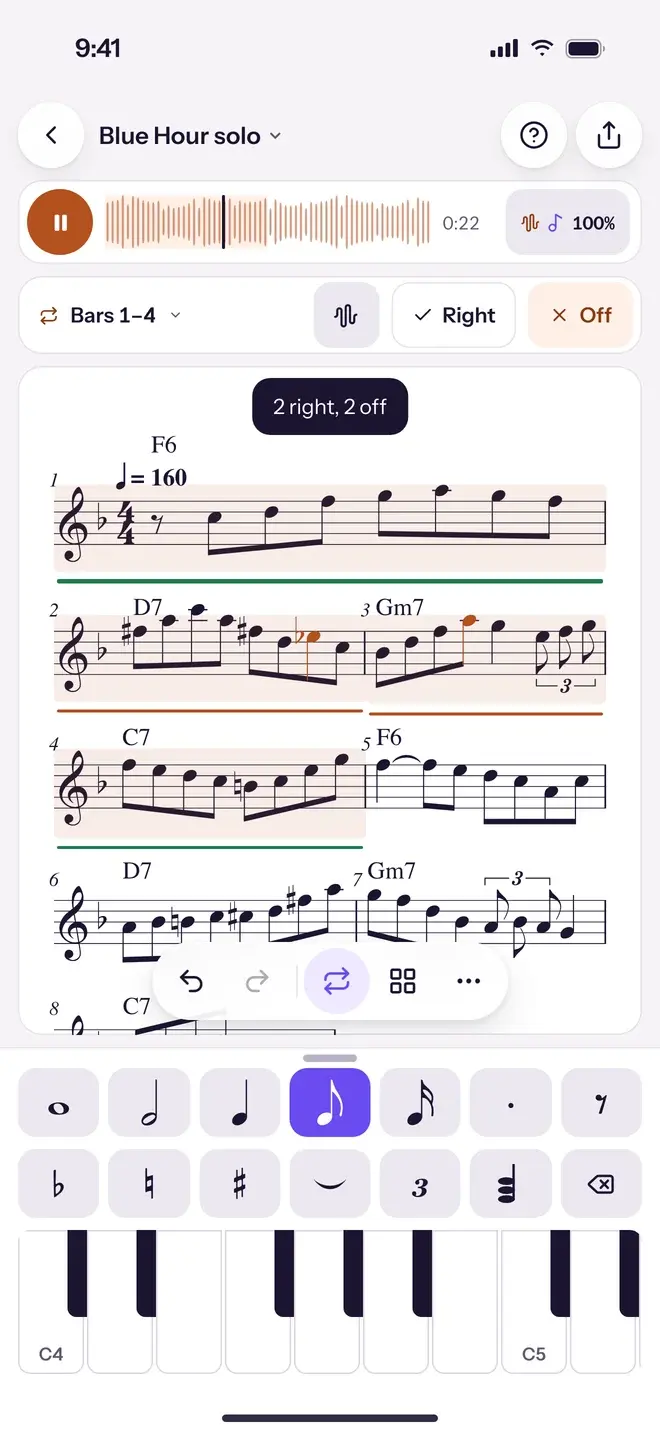
Play the recording and your notes together and mark each loop right or off. Checked bars get a green or orange line.
5Practice it
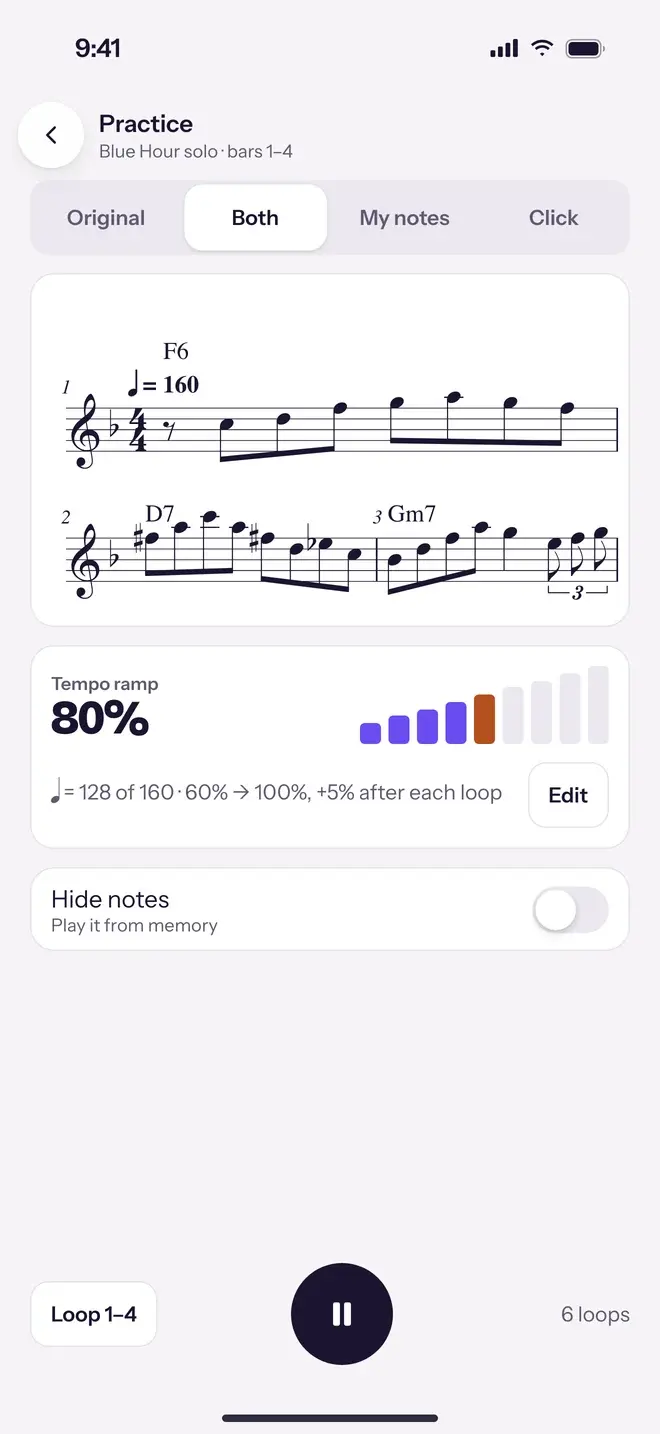
Loop the hard bars with a tempo ramp from 60% up to full speed, against the recording, your own notes or a click.
Slow it down until you hear every note
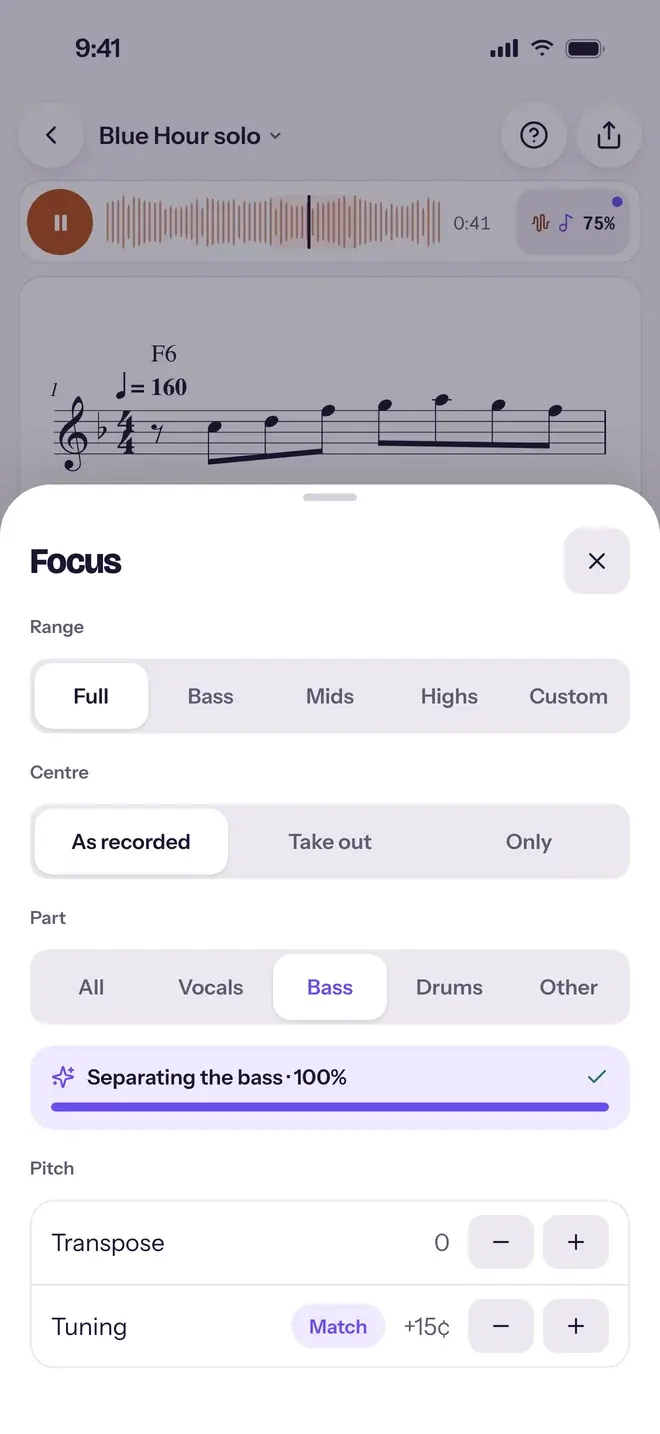
- 25% to 150% speed in 5% steps. The pitch stays where it is.
- Loop any bars and play the recording, your notes, or both together.
- Range brings out the bass, mids, highs or a band you set.
- Centre takes the middle of the mix out, or keeps only the middle.
- Part separates the drums, bass, vocals and the rest on the device. Plus
- Pitch moves the recording up to 6 semitones, or tunes it back to A440.
Guitar tab, bass tab, piano and horns
Scores are engraved like printed music: chords, ties, triplets, repeats, first and second endings, D.S. al Coda, dynamics, slurs and chord symbols.
- Guitar
- Notation, tab, or both. Standard, Drop D, D standard, E♭, DADGAD and Open G. Bends, slides, hammer-ons, pull-offs, palm mutes and harmonics.
- Bass
- Four or five strings, notation and tab, Drop D.
- Piano
- A grand staff. The clef button switches hands.
- Sax and trumpet
- Alto sax, tenor sax and trumpet, written for the instrument, so the part is ready to play.
- Voice
- One melody line in treble clef.
- How you write
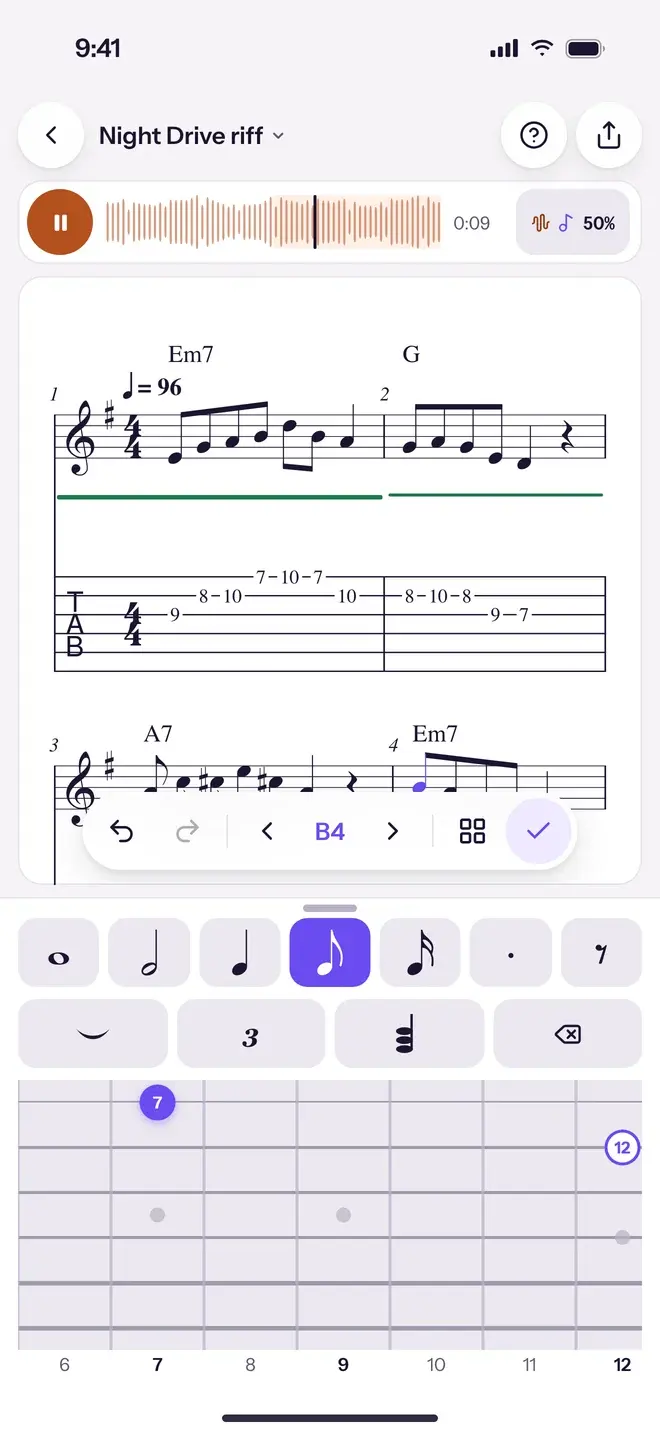
- Piano keys, a fretboard up to the 24th fret, taps on the staff, Apple Pencil on iPad, or a MIDI keyboard over USB or Bluetooth.
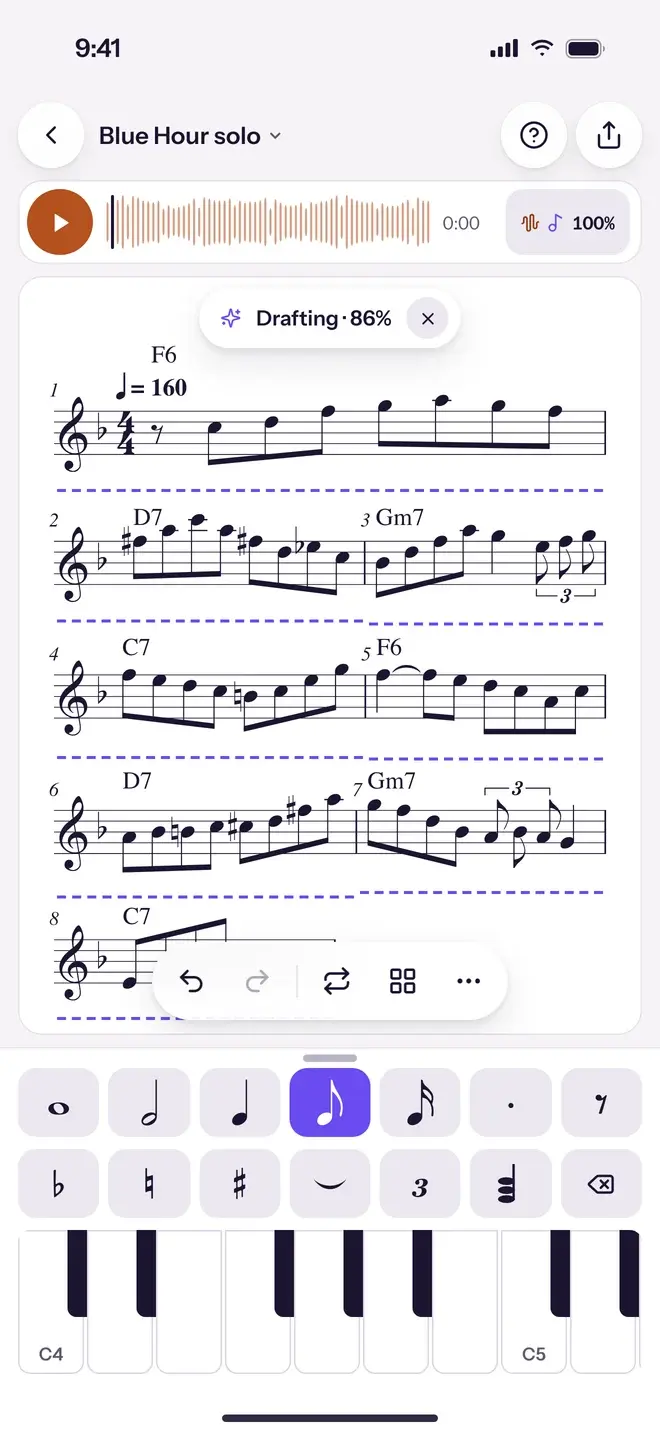
A first draft from the recording, made on your iPhone
With Transcribe Plus the app listens to an audio file or a recording and drafts the notes of the empty bars, along with the key and tempo it hears. Drafted bars keep a dashed line until you check them.
The automatic check compares each bar with the recording and turns the notes that don't match orange. Both run on Spotify's open-source Basic Pitch model on the device, so the audio never leaves it.
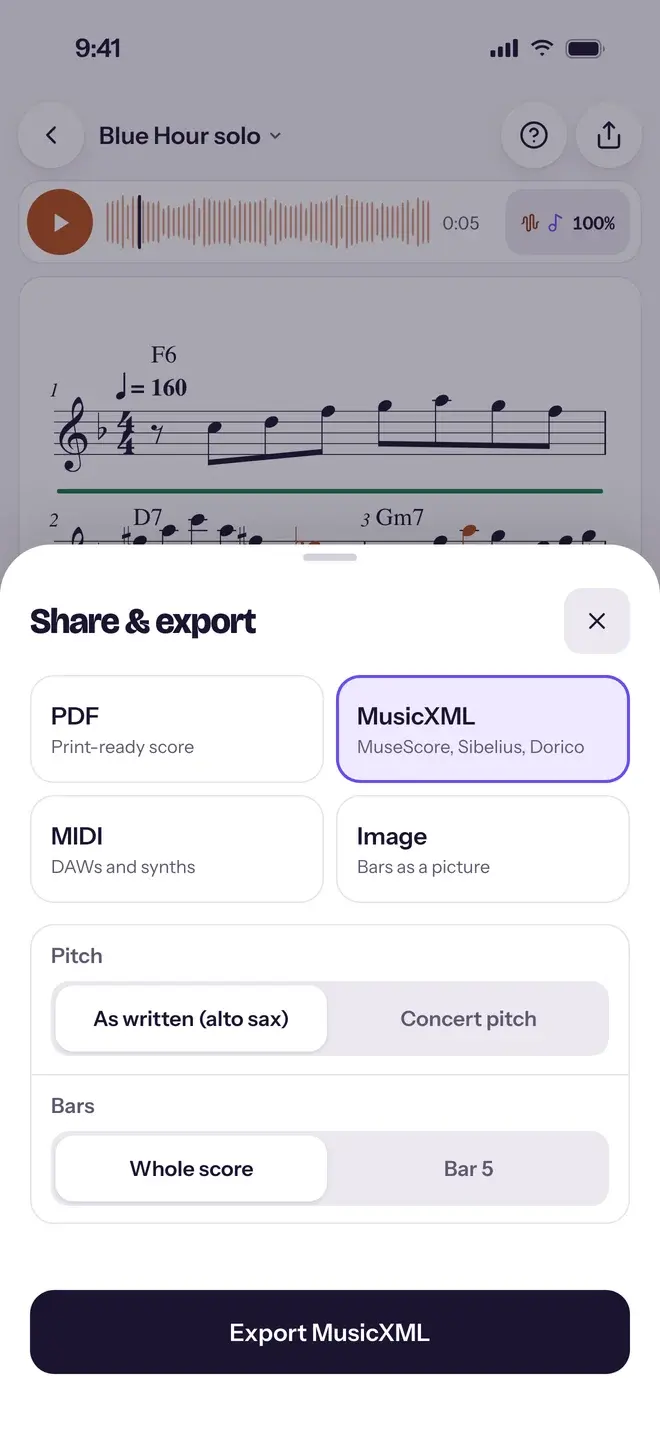
Open it in MuseScore, Dorico or Sibelius
| The engraved score, to print or send | Free | |
| MusicXML | Notes, tab, repeats and articulations for notation software | Plus |
| MIDI | For a DAW or another app | Plus |
| Image | A picture of the bars you pick | Plus |
MusicXML and MIDI files import too. Scores sync through iCloud between your iPhone and iPad, and one backup file holds all of them with their recordings.
Free to start
Transcribe Plus is $7.99 a month or $39.99 a year. US prices; the App Store shows yours.
Free
- Two scores at a time
- YouTube, Apple Music, audio files and recordings
- Loop, slow down, Range and Centre focus
- Check by ear and practice
- PDF export, MusicXML and MIDI import
- iCloud sync between iPhone and iPad
Plus everything in Free, and
- Unlimited scores
- AI first draft from a recording
- Automatic check, bar by bar
- Separated parts: drums, bass, vocals, other
- MusicXML, MIDI and image export
Questions
Can Transcribe transcribe a song automatically?
It writes a first draft. With Transcribe Plus the app listens to a recording on your device and drafts the notes of the empty bars, then you fix and check them bar by bar. The draft is one line per staff: a riff, a melody, a bass line or a solo.
Can I transcribe a song from YouTube?
Yes. Paste a YouTube link and the video plays inside the app, where you can loop bars, change the speed and write along. Videos whose owners turned off embedding can't play there, so record them or open a file instead.
Does it work with Spotify and Apple Music?
Apple Music links play in the app if you have an Apple Music subscription. Spotify links are matched to the same song on Apple Music.
Does Transcribe make guitar and bass tab?
Yes. Guitar and bass scores show notation and tab, notation only, or tab only, in standard tuning, Drop D, D standard, E♭, DADGAD, Open G and 5-string bass. Notes entered from the keys get a string and fret that keep your hand in one position.
Which features need a recording instead of a link?
YouTube and Apple Music play in the app but don't give it their audio. The AI draft, the automatic check and Focus (bass, centre or a separated part) need an audio file or a recording made in the app.
Is my audio uploaded anywhere?
No. Listening, the AI draft, the automatic check and part separation all run on your iPhone or iPad. Scores and recordings sync through your own iCloud account.
Can I open my transcriptions in MuseScore, Dorico or Sibelius?
Yes. Transcribe Plus exports MusicXML, which those programs open with notes, tab, repeats and articulations. It also exports MIDI and images; PDF export is free. You can import MusicXML and MIDI files too.
How much does Transcribe cost?
It's free to download, with two scores at a time. Transcribe Plus costs $7.99 a month or $39.99 a year (US prices; local prices vary).
Is there an Android version?
No. Transcribe is for iPhone and iPad with iOS 17 or later. On iPad it also works with Apple Pencil and MIDI keyboards.

Write down the song you're learning
Coming soon to the App StoreiPhone and iPad, iOS 17 or later